Back to Guides
Pet Owners4 min read · 7 steps
Getting Started with PetCare.AI
Set up your account, add your pet, and start getting calm, clear health guidance from Rio — the whole thing takes about a minute.

1
Sign up to get started
- ✓Tap Create Account whenever you’re ready.
- ✓All you need is a phone number — no card required.
- ✓The whole thing takes under a minute.

2
Fill in your details
- ✓Add your first name and phone number.
- ✓We text you a one-time code to verify it’s you.
- ✓Opt in to WhatsApp updates so we can reach you there too.

3
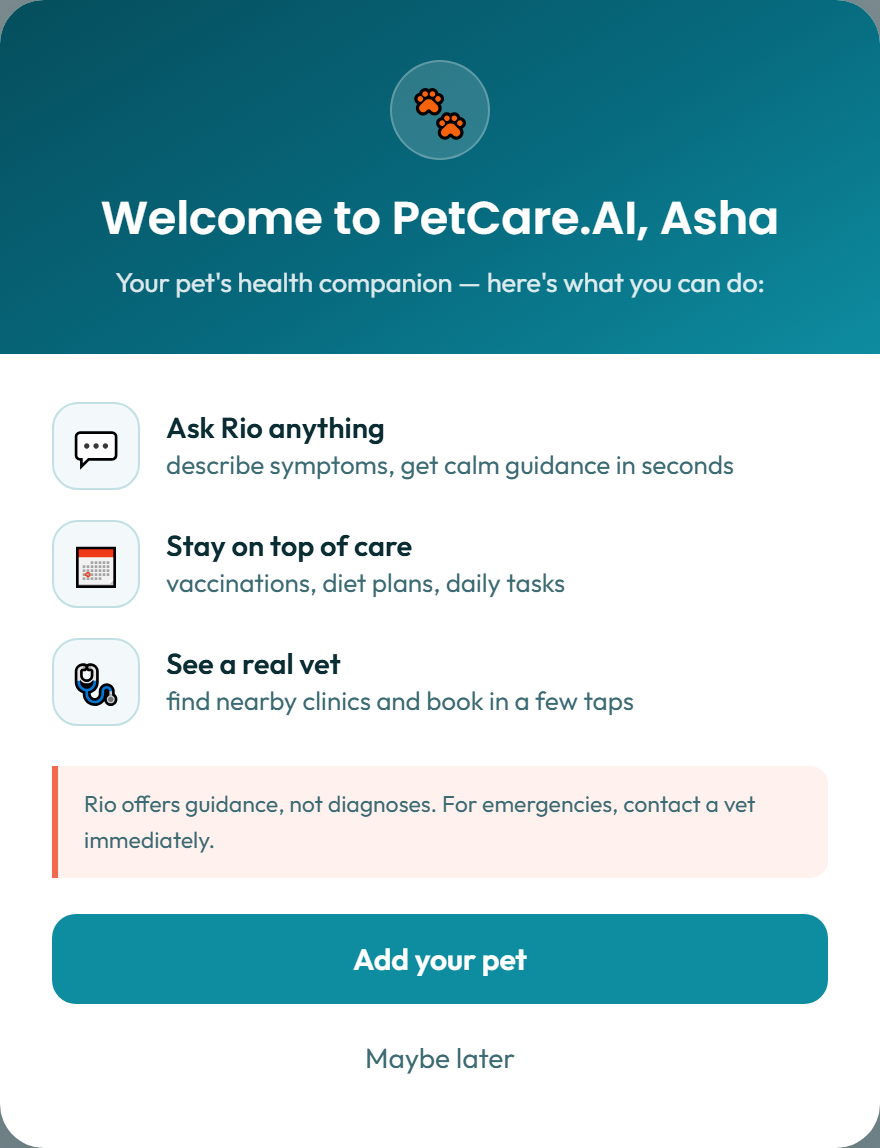
You’re in — welcome to PetCare.AI
- ✓A short welcome message greets you the first time you sign in.
- ✓It highlights the basics: ask Rio, track care, find a vet.
- ✓From here, add your first pet to get going.
4
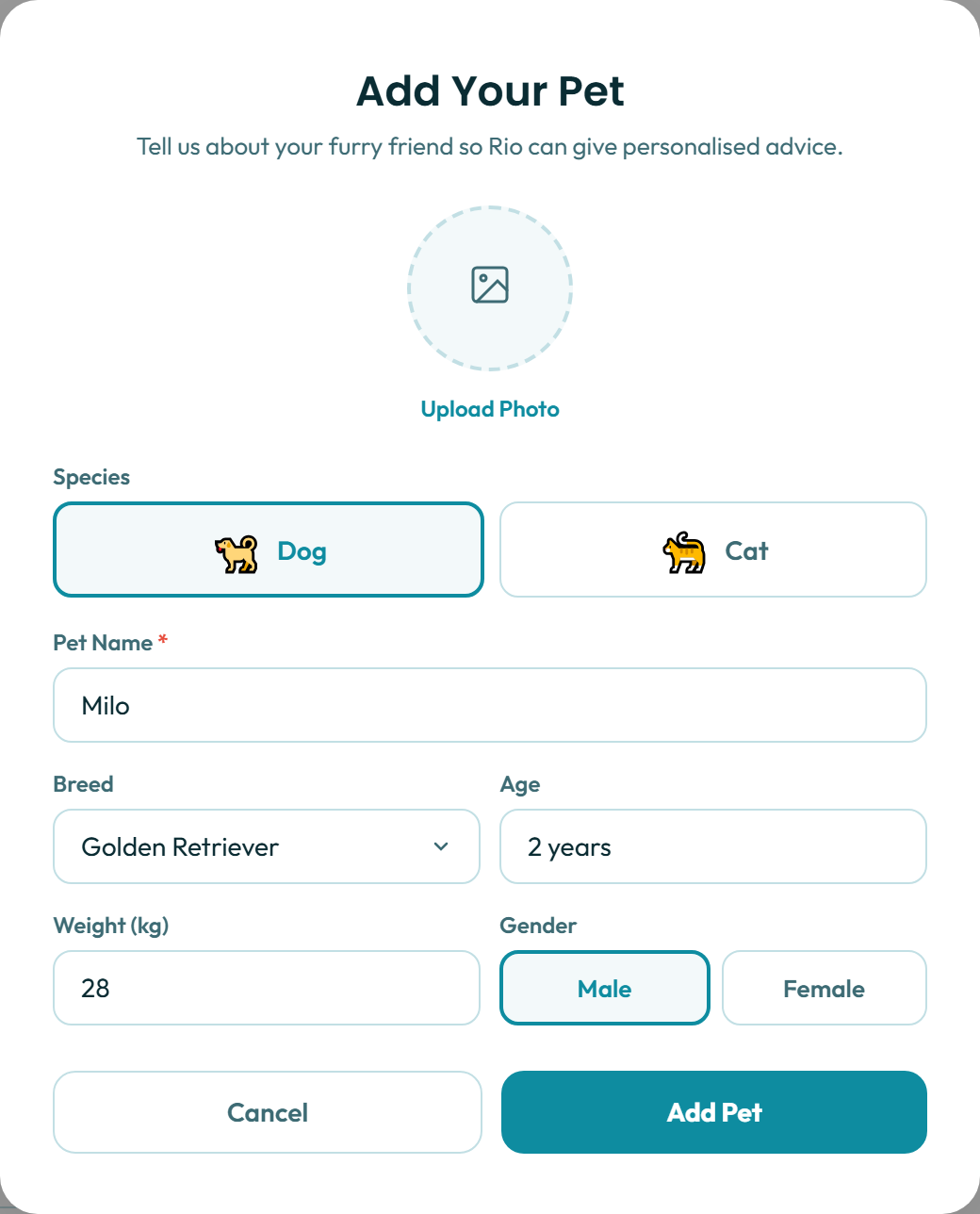
Add your pet so Rio knows who it’s helping
- ✓Pick dog or cat, then add a name, breed, age and weight.
- ✓Only the name is required — the rest sharpens Rio’s advice.
- ✓Add a photo now, or skip it and come back to it later.
5
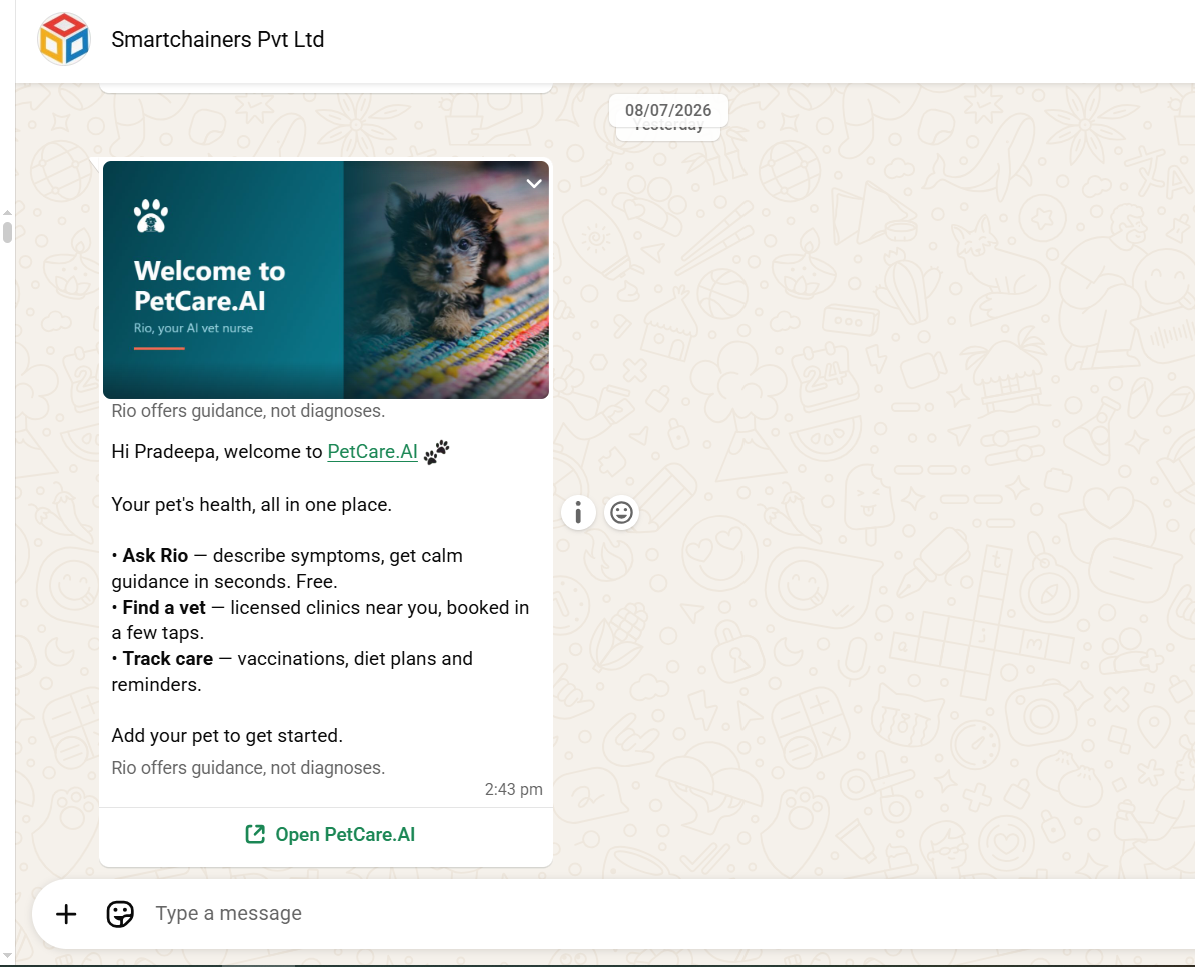
Your WhatsApp welcome
- ✓A welcome message arrives in WhatsApp right after you sign up.
- ✓It links straight back into PetCare.AI.
- ✓This is where your reminders and updates will come from.
6
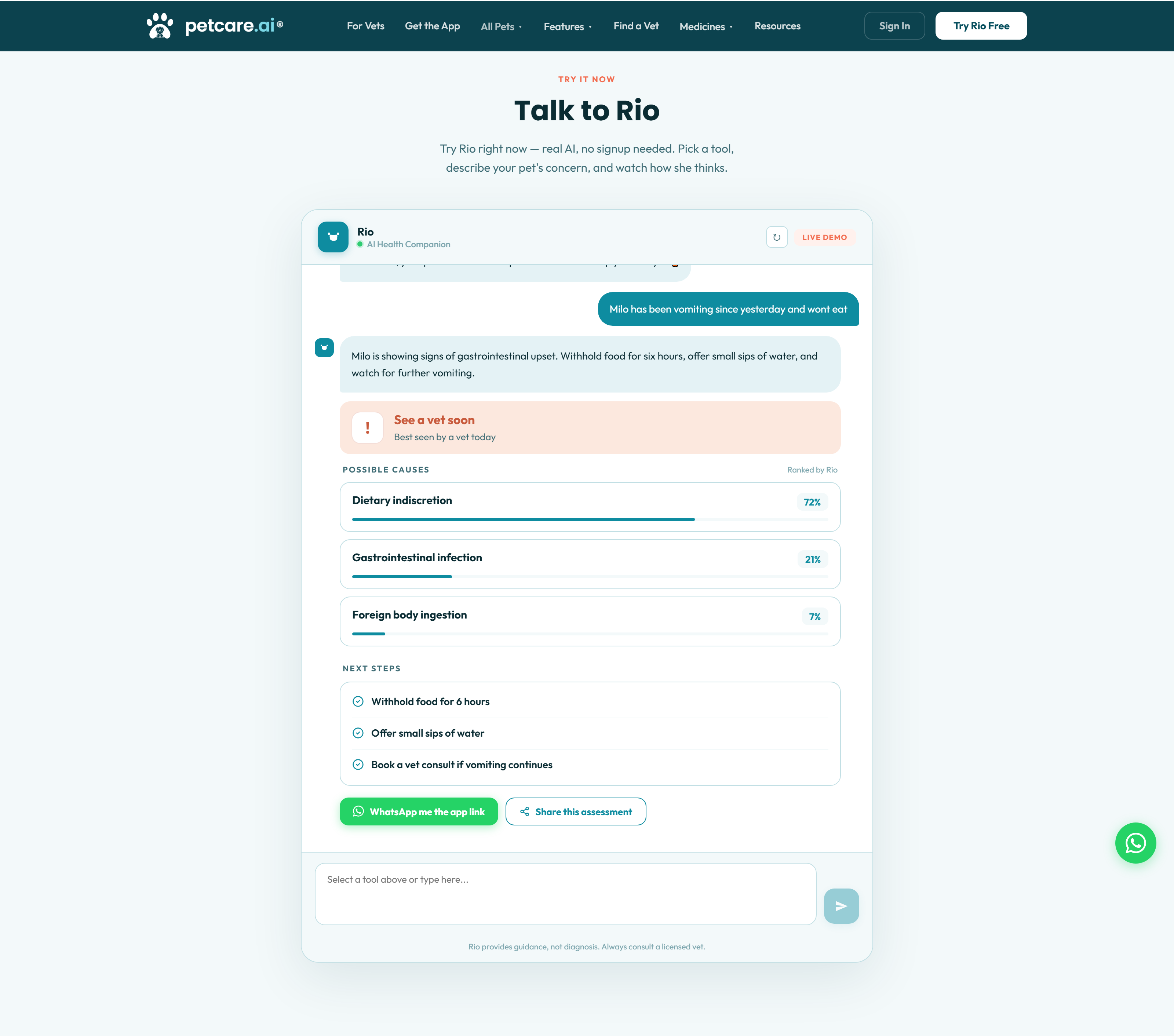
Ask Rio anything
- ✓Describe your pet’s symptoms in your own words.
- ✓Rio gives you a calm, clear urgency read — no jargon.
- ✓Get next steps you can act on right away.
7
Find and book a vet
- ✓Browse verified vets near you.
- ✓Pick a service and see the price upfront.
- ✓Choose a date and time that works for you.

🐾
Ready to try Rio?
Describe your pet’s symptoms and get calm, clear guidance from Rio in seconds — free.